It is not a revolutionary app; I built it because I thought it would be handy to have. Switch between three blocks — action, dialogue and scene — to write to the Japanese film screenplay format.
Demo is free / ¥3,800 early-access license (regularly ¥5,800, excl. tax) covers two devices
Simply switching between the three block types keeps the manuscript in correct Japanese screenplay form. There are no indents or leading spaces to adjust by hand. Switch paragraphs with ⌘/Ctrl + J, ⌘/Ctrl + K and ⌘/Ctrl + L, and the flow of writing is never broken.
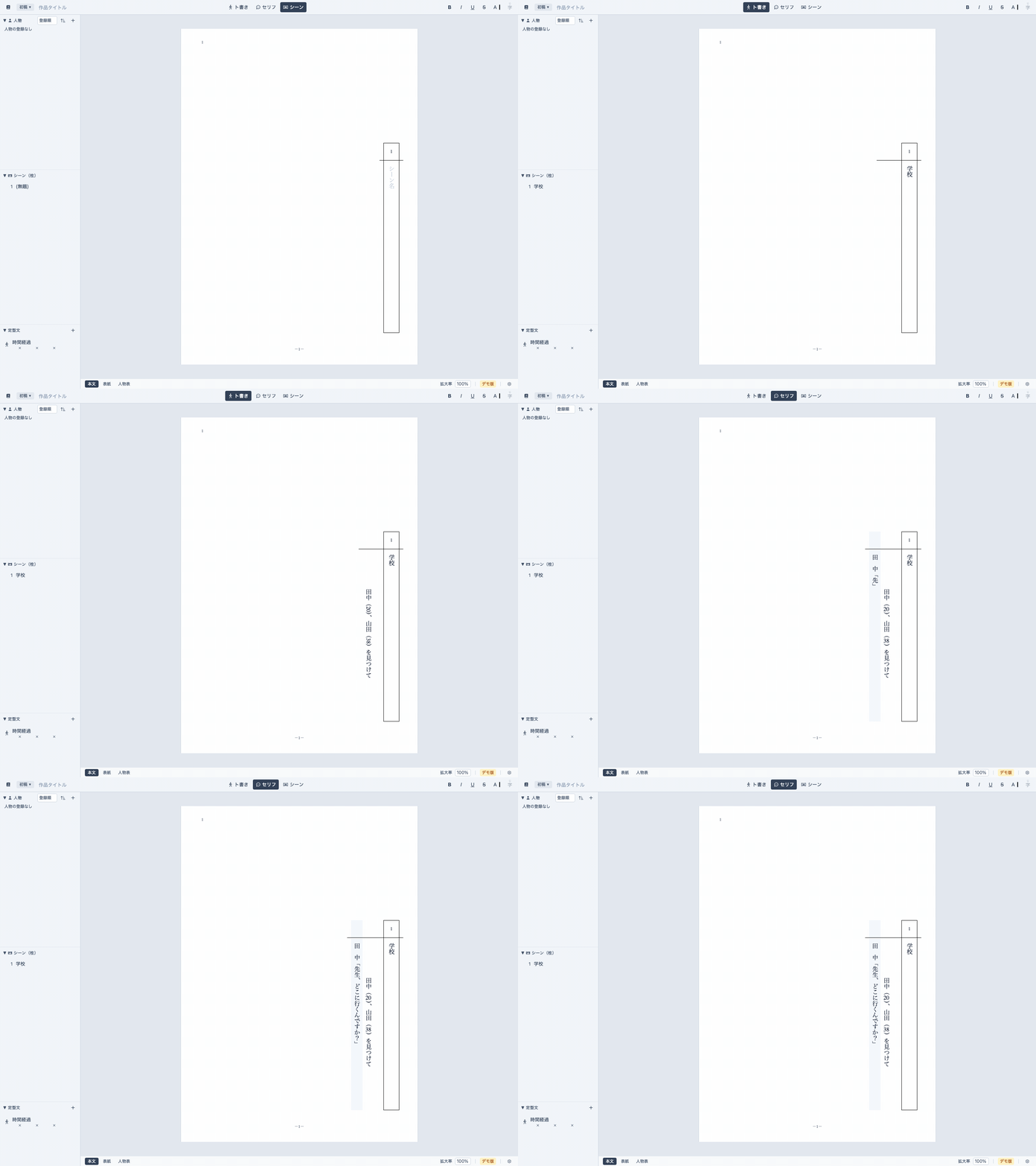
You should be able to work without taking your hands off the keyboard.
Action (⌘/Ctrl + J), dialogue (⌘/Ctrl + K), scene (⌘/Ctrl + L). Just pick a block and write — the formatting falls into place, and the shortcut keys switch paragraphs in an instant.
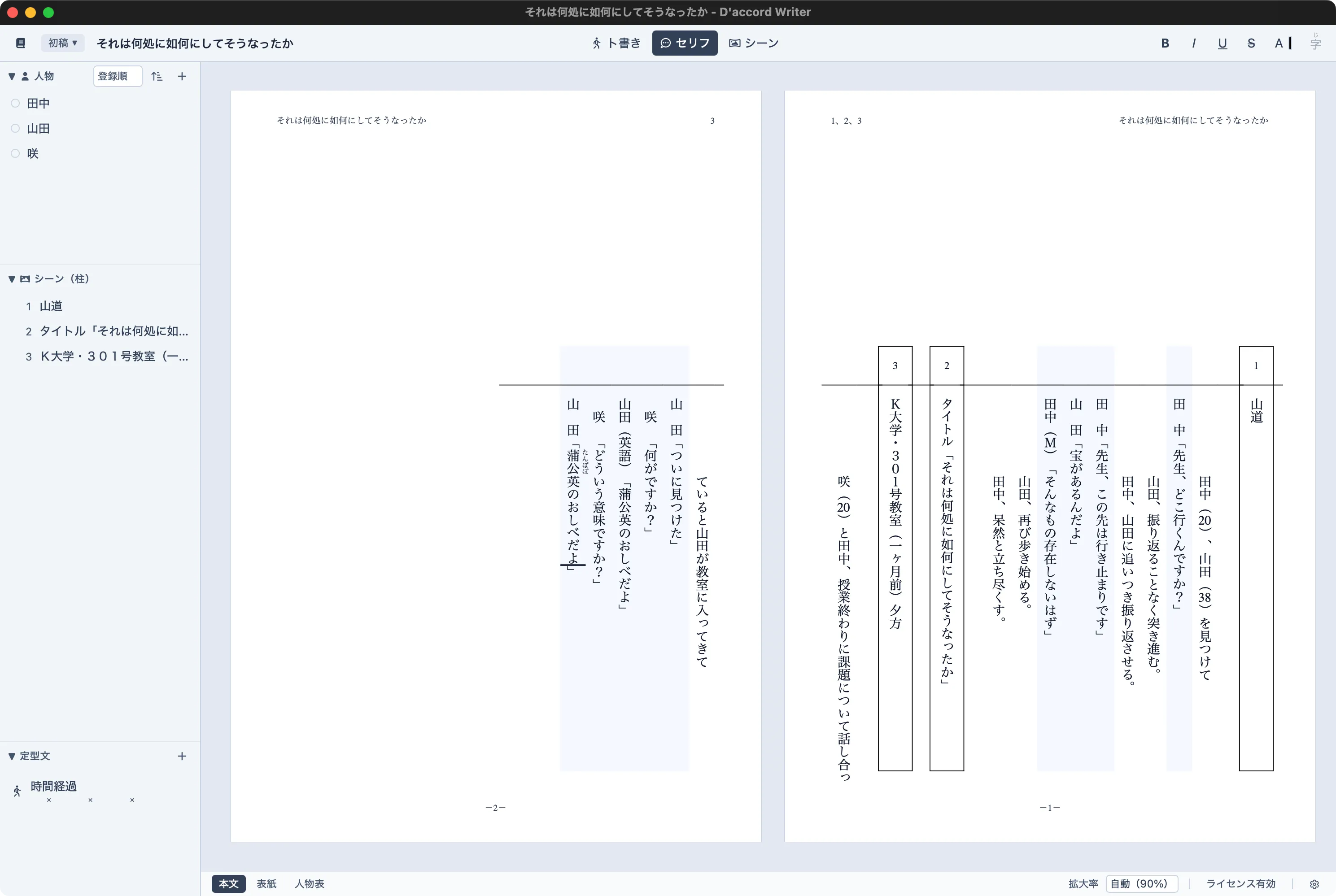
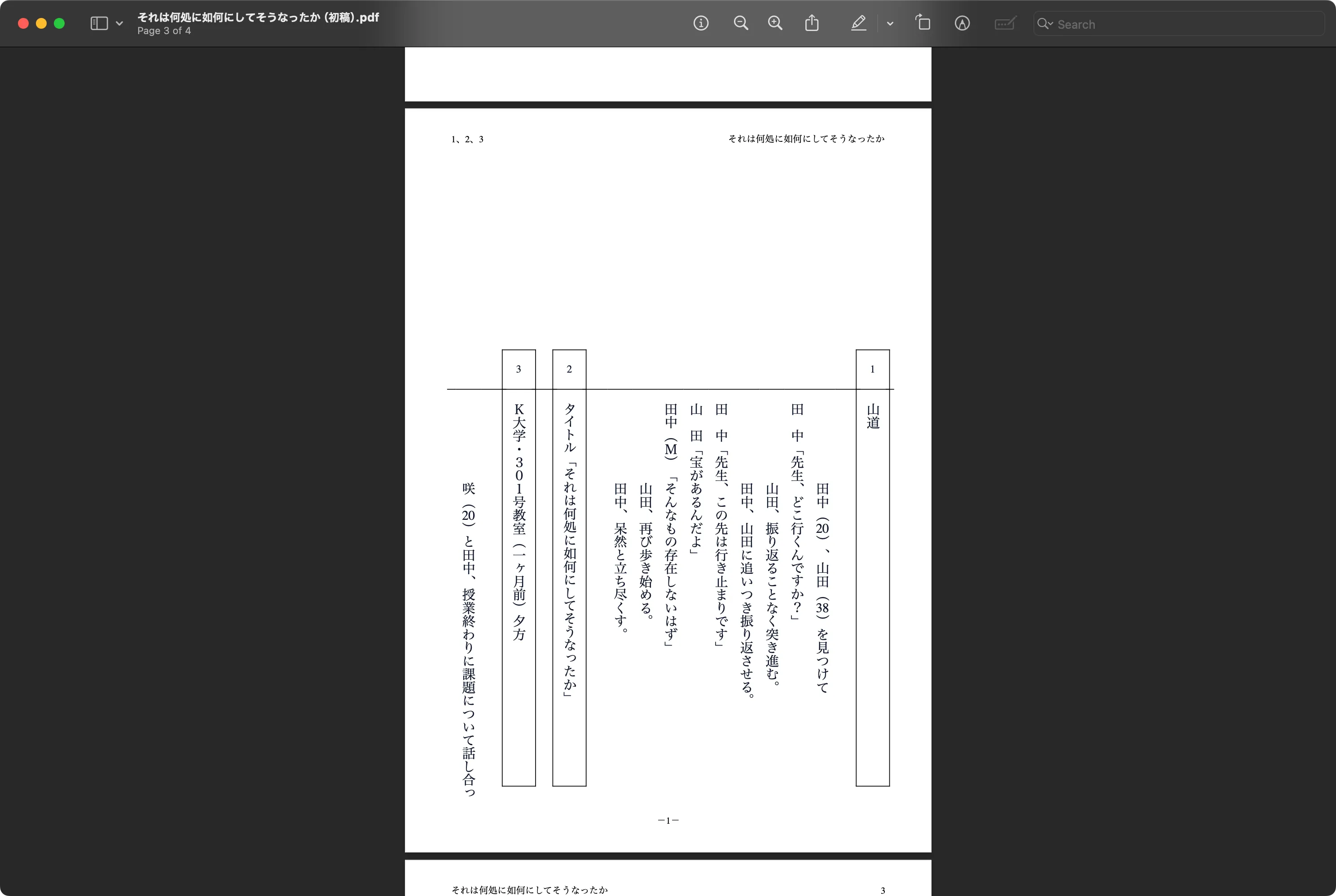
Typeset the finished draft into screenplay format and export to PDF or Word (.docx), ready to print, submit or share.
Register characters per project and call them into any dialogue block — no more inconsistent spellings of a name.
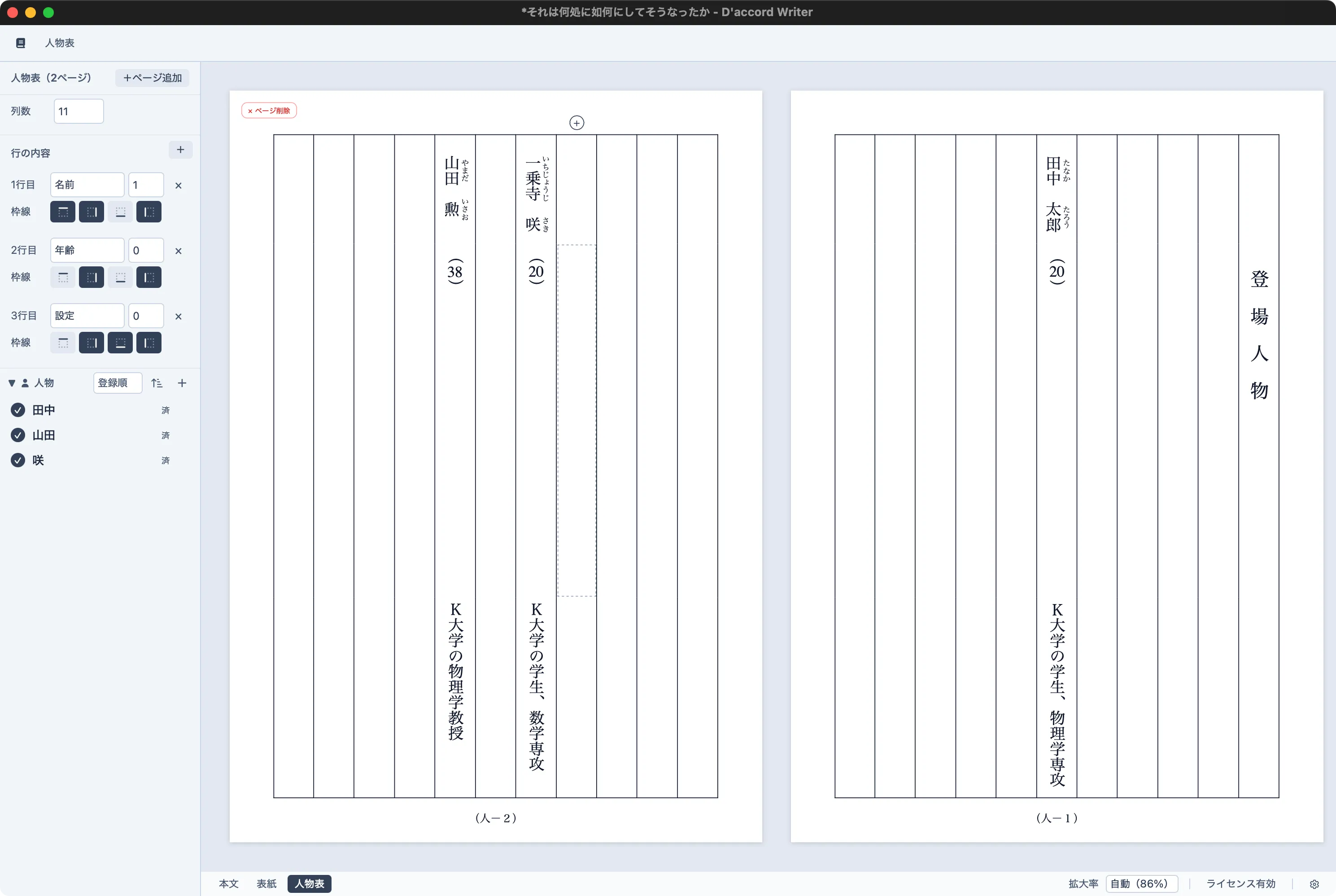
Design the cover and the cast list alongside the script itself; the export binds them into one document.
Screens may differ depending on the version
The demo has no limits on writing itself. Buying a license unlocks the very same app — there is nothing to reinstall.
Latest version v0.9.0
Windows 11 or later
Not available yet — the Windows download link is coming shortly.
Opening the downloaded file starts the installer.
The demo has no limits on writing itself. A license is only required when you export the finished draft in submission-ready form.
The regular price is ¥5,800 (excl. tax). Until version 1.0.0 ships, the license is available at the early-access price of ¥3,800 (excl. tax).
Checkout is handled by Polar.sh.